
Help
How to find your FPL team ID
Co-Gaffer uses the public ID in your team’s URL — the same number friends use to join mini-league links. It is not your overall rank, and we never ask for your FPL password.
01
Open your FPL team
On the web, go to fantasy.premierleague.com and sign in. On the app, open Points (this week’s squad), not the transfer screen.
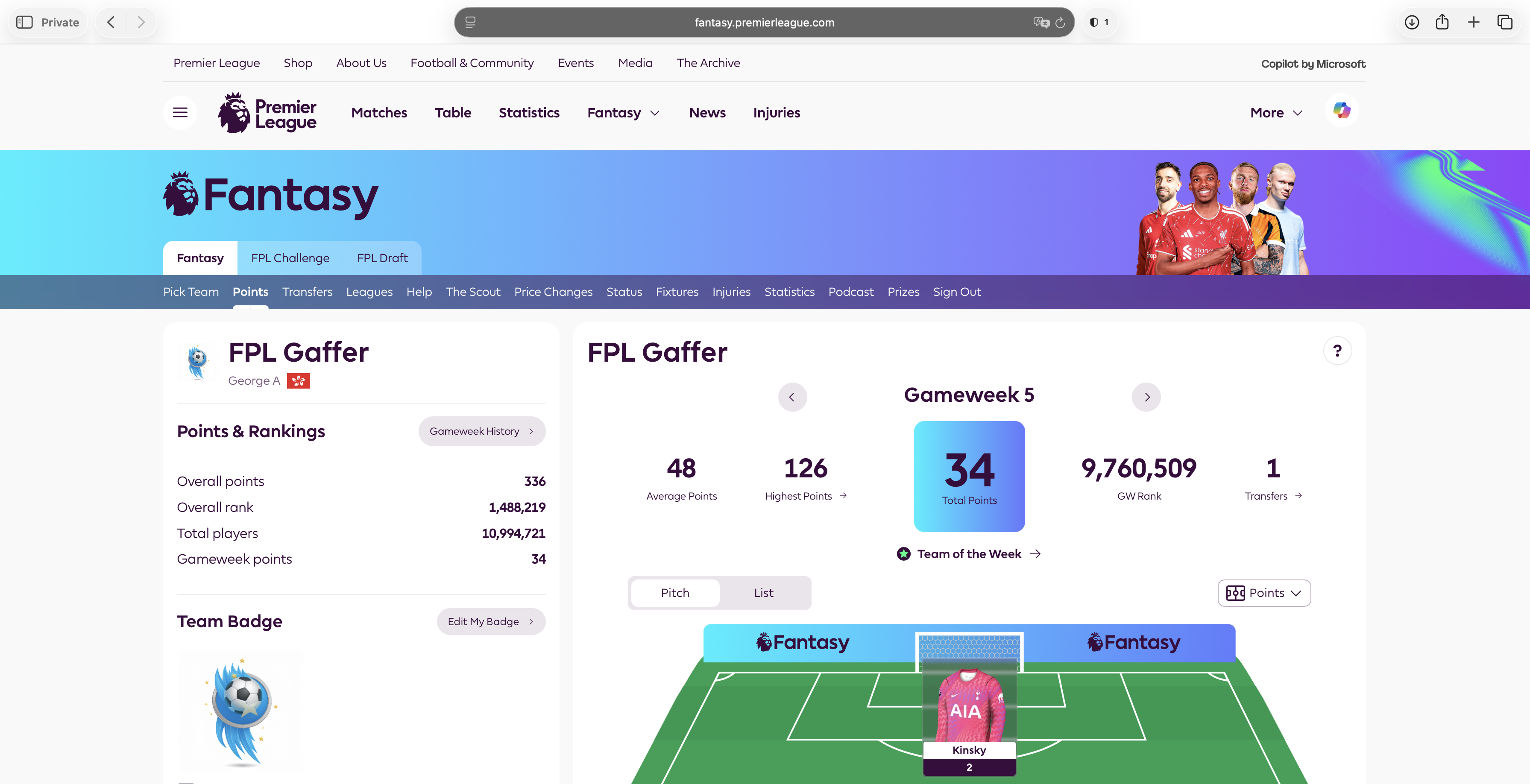
Open your FPL team 02
Find /entry/ in the address bar
The number after /entry/ is your team ID — not your rank, and not your FPL login.
fantasy.premierleague.com/entry/1234567/history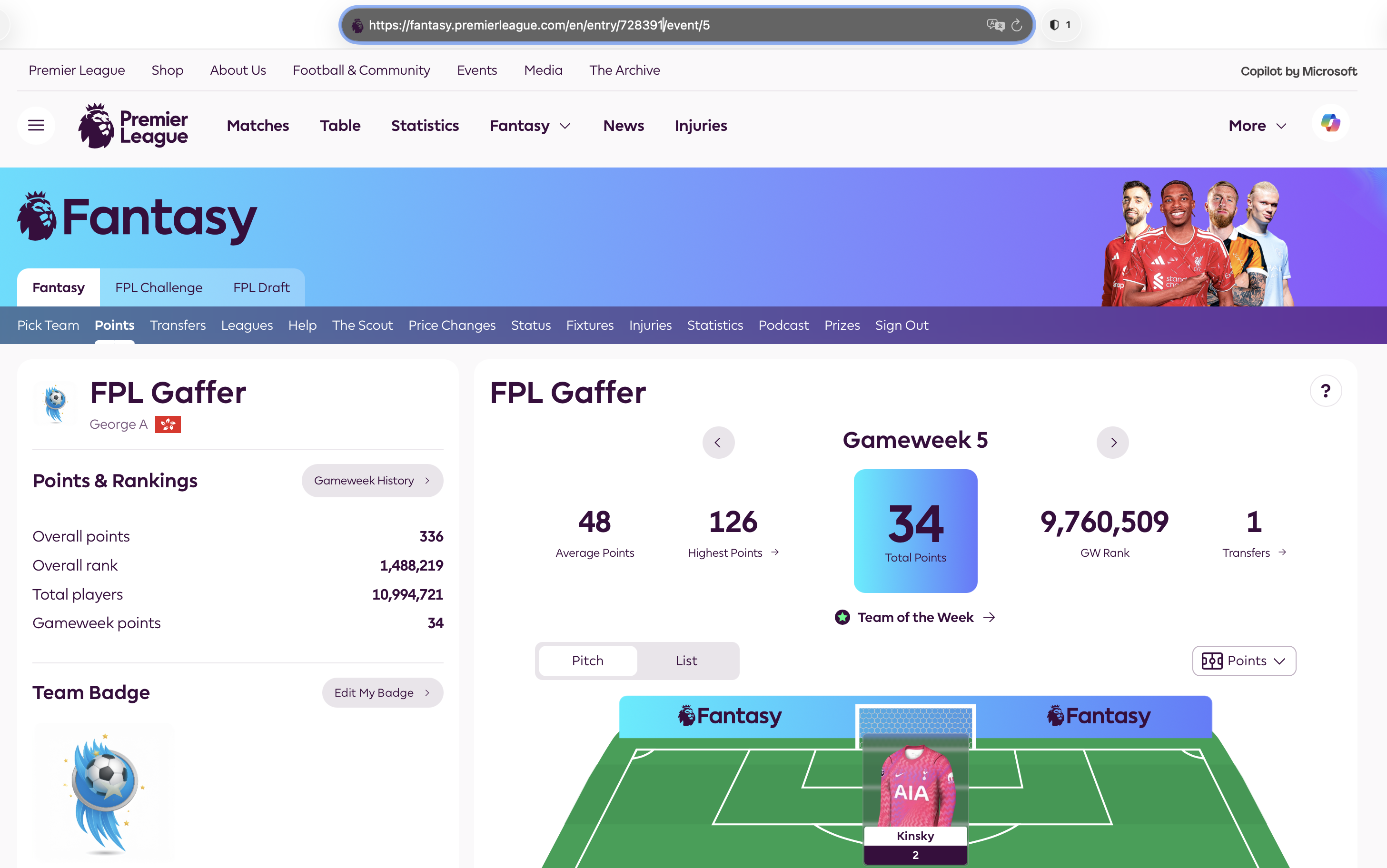
Find /entry/ in the address bar 03
Paste it into Co-Gaffer
Drop only that number into the app. We load the public locked XI. We never ask for your FPL password.
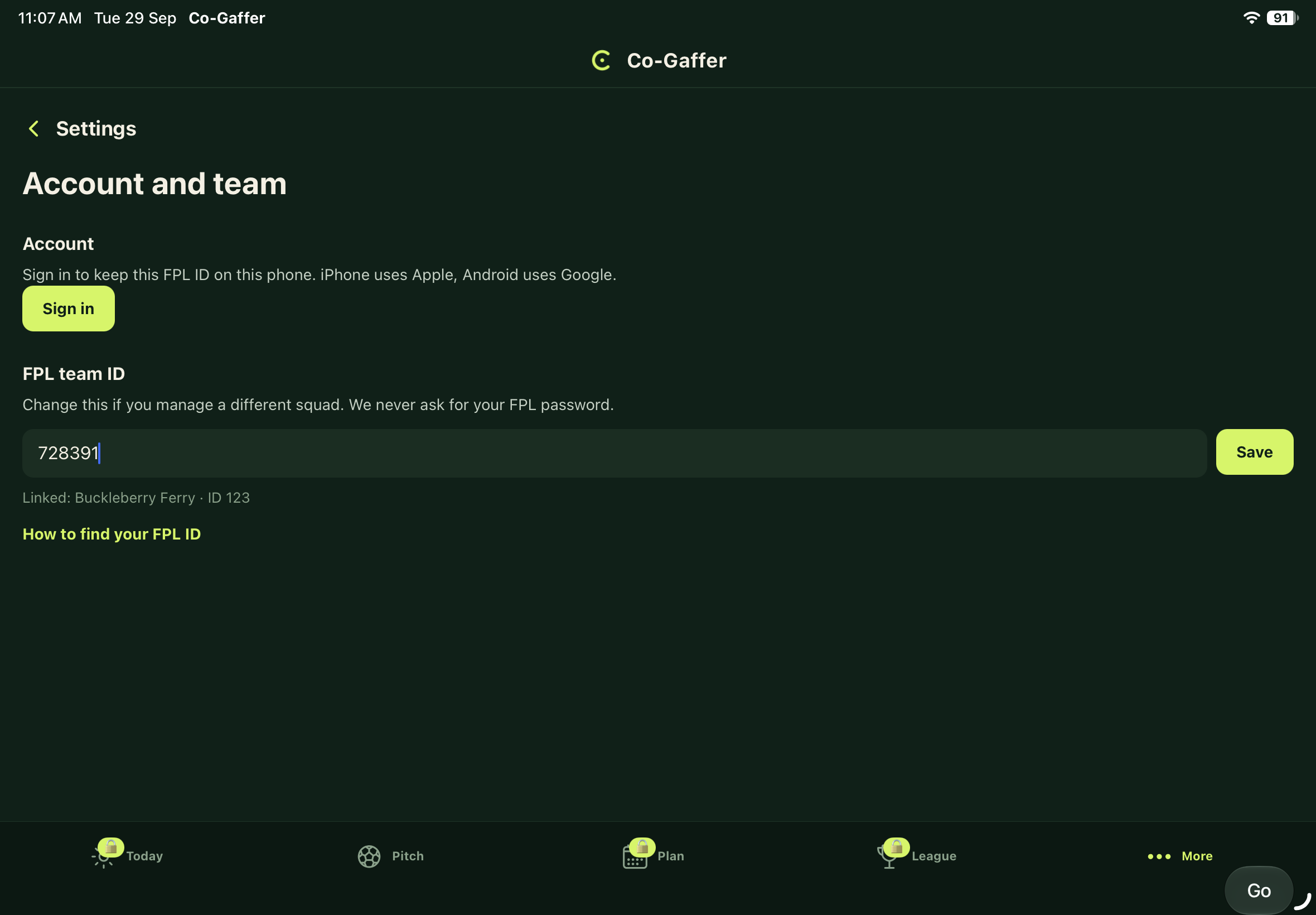
Paste it into Co-Gaffer